











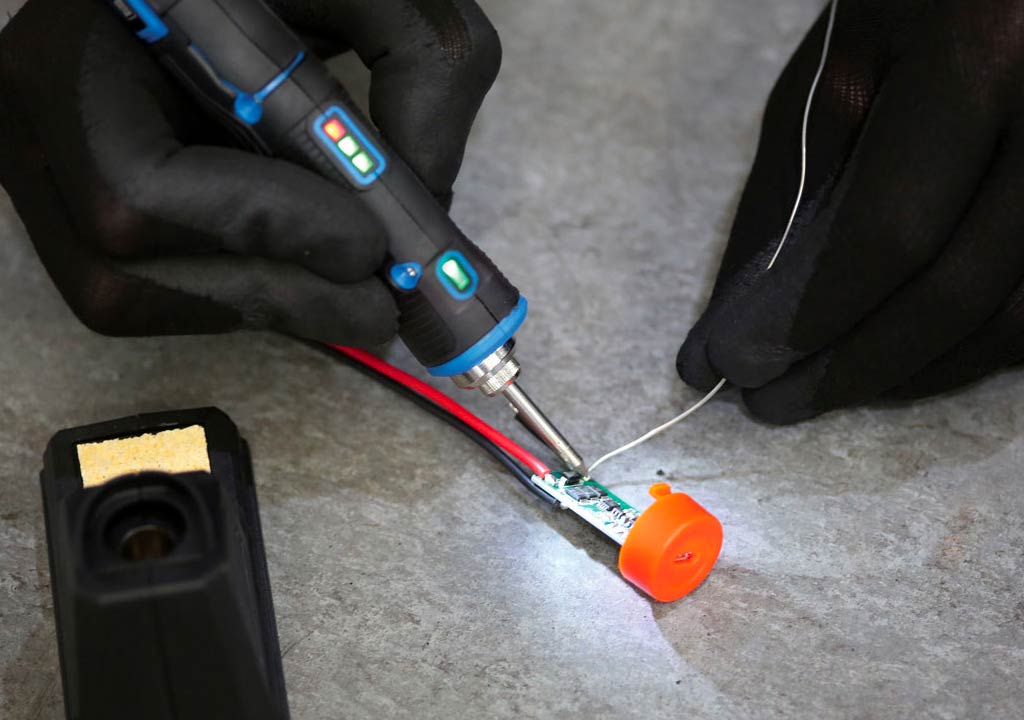
Beginner-Friendly Soldering Irons Projects You Can Tackle

Beginner-Friendly Soldering Irons Projects You Can Tackle
If you've just picked up a soldering iron, you're standing at the doorway of a rewarding hobby. Soldering is a practical skill that opens up countless DIY possibilities-from tiny electronics repairs to custom LED art. The good news for absolute beginners: you don't need fancy equipment or years of training to start making things today. With a few simple projects, a bit of patience, and a focus on safety, you can build confidence, learn how components behave, and create something you can be proud of.
In this post, you'll find five beginner-friendly projects that are approachable for someone who's new to soldering. Each project includes a clear parts list, step-by-step instructions, and practical tips to help you avoid common mistakes. We'll also cover essential safety practices, basic tools, and how to fix common soldering problems along the way. By the end, you'll have a small set of working projects to show for your efforts-and the knowledge to tackle more ambitious builds in the future.
Safety and Setup: Laying a Solid Foundation
Soldering is safe when approached with care, the right equipment, and good habits. Here are some basics to keep you on the safe side as you practice:
- Ventilation: Solder fumes can be irritating. Work in a well-ventilated area or use a small fume extractor or fan.
- Eye and skin protection: Wear safety glasses to shield your eyes from splashes of molten solder. Avoid touching the hot tip and be mindful of hot components.
- Temperature control: If your iron has adjustable temperature, start low (around 350-370°C / 650-700°F for lead-free solder) and increase only if needed. Avoid scorching boards or damaging components.
- Tip care: Keep your tip tinned (a light coat of solder) when not in use to prevent oxidation. Wipe the tip on a damp sponge or brass cleaner periodically.
- Work surface mindset: Use a helping hand or third-hand tool to hold parts steady. Avoid loose wires and keep your workspace organized to prevent shorts.
- Lead-free vs leaded solder: Lead-free solder is safer for the home hobbyist, but it often requires higher temperatures. If you're using leaded solder (Sn-Pb), ensure you're in a well-ventilated area and wash hands after handling.
- Power and safety: When working with batteries or power supplies, disconnect power before adjusting components or repositioning parts.
Tools, Materials, and What You'll Need
Before you start any project, gather these essentials. They're inexpensive, widely available, and designed for beginners:
- Soldering iron: A basic temperature-controlled iron is ideal. A small 30-60W iron with a fine tip is perfect for electronics.
- Solder: Lead-free solder (Sn96.5/Ag3/Cu0.5, typical) is common for hobby electronics. If you can find a mild leaded version for practice, it's easier to work with, but abide by safety norms.
- Flux: Rosin flux is common for electronics; it helps the solder flow and prevents oxidation.
- Flux brush or q-tips: For applying flux as needed.
- Wire strippers and cutters: For preparing wires and component leads.
- Helping hands/third-hand tool: Keeps parts steady while you solder.
- Steel wool or brass sponge: For cleaning the tip between joints.
- Desoldering wick or a small desoldering pump: Useful for fixing mistakes.
- Perfboard or copper-clad board: For simple, soldered-on projects that aren't breadboard-based.
- Small components: LEDs (2-3V to 3mm/5mm types), resistors (1k, 330Ω, etc.), a 555 timer IC or a tiny microcontroller if you're ready, a few capacitors, switches, and a small battery holder (coin cell or AA/AAA, depending on your project).
- Test equipment: A multimeter is optional but very helpful for testing connections and polarity.
Project 1: Blink an LED with a 555 Timer on a Perfboard
Why start with a 555-based blinker? It's a classic, forgiving project that teaches you how resistors, capacitors, and ICs interact to create timing. It also gives you hands-on experience with laying out a tiny circuit on a perfboard and soldering compact components without a lot of extra wiring.
What you'll need
- 555 timer IC
- LED (any color you like)
- Resistors: R1 around 1 kΩ, R2 around 10 kΩ (values can vary for timing)
- Capacitor: C around 47-100 µF (electrolytic works, but a film capacitor can also be used with lower values for different blink speeds)
- Small perfboard (or copper-clad board) and wire
- Battery holder or power source (5V from USB works well; you can wire a USB breakout board to your perfboard for power)
- Small push-button switch (optional, to turn the blink on/off)
Steps
- Plan your layout on the perfboard. Put the 555 in a convenient spot, then place the LED so its negative lead (short leg) will connect to the ground.
- // Tin the joints. Pre-tin short metal traces on the perfboard where you'll solder to help the process go smooth.
- Connect the 555 according to a standard astable configuration: pin 1 to ground, pin 8 to Vcc, pins 4 and 8 tied to Vcc, pins 2 and 6 connected together, and connect the RC network (R1, R2, C) between Vcc and pin 2/6 to set the timing.
- Attach the LED to the output (pin 3) through a current-limiting resistor (a value around 220-470 Ω depending on LED brightness and supply). The LED's anode goes to the resistor, the other end of the resistor to pin 3; the LED cathode goes to ground.
- Double-check polarity and joints. Use flux if needed to improve solder flow.
- Power up with your 5V source. You should see the LED blink at a rate determined by your RC values. If it's blinking too fast or too slow, tweak R2 or C.
- Test and refine. If any joint looks dull or cracked, reheat and add a touch more solder. Avoid overheating the LED or IC.
Tips
- Keep the soldering iron tip clean and tinned; a clean tip makes better joints and reduces heat on a single component.
- Take your time with the connections. A cold joint (a dull, grainy connection) can cause the circuit to fail.
- Label or photograph your layout before you start wiring, so you know where to place each component later if you need to fix something.
Project 2: Tiny LED Badge or Nightlight on a Coin Cell
This is a compact, low-maintenance project that produces a readable result-great for a badge or a small nightlight. It also reinforces practice with small components and a compact battery holder.
What you'll need
- Coin cell battery holder (CR2032 is common)
- 1-2 LEDs (low-current, e.g., 2V LEDs for coin cell power)
- Current-limiting resistor (around 330-680 Ω depending on LED and supply)
- A small SPST or tactile switch (optional, to turn the badge on/off)
- Perfboard or copper-clad board, wires, and solder
- Double-sided foam tape or a small enclosure to mount the badge
Steps
- Plan a compact layout on your board. The coin cell holder typically sits flat; place the LED(s) so their leads can be soldered with short connections to minimize space.
- Connect the LED(s) to the resistor and battery holder in series. If you're using two LEDs, you can connect them in parallel with individual current-limiting resistors, or in series with a single resistor designed for the total forward voltage.
- Wiring on a small badge can be tricky due to space. Use short, neat wiring and stay mindful of polarity. Tin all component leads before soldering to improve flow and reduce heat needed.
- Optionally add a switch between the battery holder and the LED circuit to allow turning the badge on and off without disconnecting the battery.
- Test by inserting the coin cell and ensuring the LED lights up. If brightness is low, check the resistor value and ensure the battery is fresh.
- Finish with a small enclosure or decorative backing. If you're giving this as a gift, use color-coded heat shrink or a dab of hot glue to secure wires and the battery holder to the board.
Tips
- Coin cells don't supply enormous current; choose LEDs that operate well at low current to extend battery life.
- Use flux on hard-to-reach joints to ensure clean solder joints in tight spaces.
- Test the circuit with a bench supply or a known-good battery before sealing everything up.
Project 3: Repair a Broken Wire or Connector on a Small Appliance
Repairs are a fantastic way to practice soldering because they require careful inspection, precision, and patience. A small project you can tackle is re-attaching a loose wire or repairing a broken connector on a toy, charger cord, or small gadget. This project teaches you how to work with flexible wire, identify damaged insulation, and re-establish a solid electrical path.
What you'll need
- Replacement wire of matching gauge (or the same wire that's on the device)
- Wire strippers
- Solder, flux, and a clean iron tip
- Heat shrink tubing (optional, for strain relief)
- Multimeter (optional but helpful for testing continuity)
Steps
- Carefully identify the damaged area. If insulation is torn, trim away the damaged section so you're soldering to clean copper.
- Strip a small amount of insulation from both ends of the wires you're reconnecting. Tin both ends by applying a small amount of solder to the bare copper, which makes the final connection easier and stronger.
- Position the wires together so the copper strands are aligned. Use a bit of flux on the joint to help with heat flow and solder coverage.
- Solder the joint with a clean, quick touch of the iron. Make sure the joint is smooth and shiny-this indicates a good connection. Avoid overheating the insulation or melting nearby components.
- Optionally add heat shrink over the joint for strain relief. This keeps the repair durable and also looks neat.
- Test the device to confirm the repair is solid. If you have a multimeter, check for continuity and verify there's no short to adjacent conductors.
Tips
- When dealing with flexible wires, avoid leaving long exposed copper near the end that could short against other parts. Keep some insulation under the solder joint if possible.
- Take your time with the first joint; a small, clean joint sets the tone for the rest of the repair.
Project 4: Simple USB Cable Repair or Re-Pin
If you've ever had a frayed USB cable, you know how frustrating it can be. A beginner-friendly project is learning how to repair a broken USB cable or to reattach a USB connector. This is also great practice for working with delicate wire strands and multi-conductor cables.
What you'll need
- USB-A or USB-C connector (depending on your cable and connector availability)
- Multi-conductor USB cable (usually red, black, green, white wires inside; sometimes additional shielding)
- Wire strippers and a small pair of needle-nose pliers
- Flux, solder, and a hot air or iron (use a temperature-controlled iron to avoid overheating the connector)
- Heat shrink tubing or electrical tape for insulation
Steps
- Carefully cut away the damaged section of the cable, exposing clean copper wires. Strip a small amount of insulation from each conductor and tin the ends.
- Disassemble the USB connector if you're re-soldering to a new shell; observe each wire's position and color (bus power, data lines, ground) according to the connector standard. If you're unsure, look up a wiring diagram for the specific USB plug type you're using.
- Tin the contact pads on the connector and carefully align the wires to their corresponding pads. Use a fine tip for precise work; this is a delicate step.
- Solder each conductor to its pad with clean joints. Check for cold joints or bridging between adjacent pads, and fix if needed.
- Reassemble the connector shell and test the cable with a USB-powered device to ensure data and power are working correctly.
Tips
- Keep heat away from the plastic housing of the USB connector to avoid deforming it.
- If you're unsure about the pinout of a USB-C connector, refer to a reliable pinout diagram to prevent miswiring.
- Take your time with the first attempt; rework is common in connector repairs, and patience will save you from damaging the part.
Project 5: A Tiny Decorative Copper Art or Monogram on Copper-Clad Board
Want to blend creativity with your soldering skills? A small decorative project-such as a monogram or simple pattern on a copper-clad board-lets you practice precise, steady handwork while learning how solder flows across flat metal. This project is more about technique and finish than electronics performance, but it's a satisfying way to see what you can produce with basic tools.
What you'll need
- Copper-clad board (thin 1-2 mm is perfect for practice)
- Fine-tip permanent marker or printed pattern for your design
- Flux and solder
- Fine-tip iron and small tips for tight spaces
- Small auxiliary tools: cutters, sanding block, magnifier (optional)
Steps
- Transfer your design onto the copper board. You can print a simple pattern and trace it with a marker, or lightly outline with a pencil.
- apply flux to the copper surface. This helps the solder flow and reduces oxidation during heating.
- Carefully place small pads or lines of solder along the design, following your pattern. For a decorative result, you can "tin" tiny sections of copper and fill them with solder to highlight parts of your design.
- Gently hot-weld along the surface, making sure not to overheat the copper or deform the board. If you want a brushed finish, you can lightly sand the surface after you're done soldering for a subtle texture.
- Clean up any residual flux with a soft cloth or isopropyl alcohol for a neat finish.
Tips
- Practice control with very small amounts of solder. The goal here is to create neat lines and a readable pattern rather than heavy, dense joints.
- Use magnification if needed-tiny joints look more delicate than they feel, but with patience, you'll achieve crisp results.
Guidance for a Smooth Soldering Journey
As you tackle these beginner projects, here are some practical strategies to keep your progress steady and enjoyable:
- Practice sessions: Start with a dedicated "practice pad" where you only tin copper traces and practice bridging small gaps with clean, short solder runs. This builds muscle memory for steady, accurate work.
- Work in stages: Don't rush joints. Allow each joint to cool briefly before moving on to the next, which reduces the risk of cold joints.
- Inspect routinely: After every few joints, inspect with good lighting and a magnifier if you have one. Look for dull or cracked joints and reflow as needed.
- Describe your design beforehand: Sketch a layout or take a photo of your planned arrangement. It helps you stay organized and reduces the chance of misplacing components.
- Learn from mistakes: When a joint doesn't behave, pause, re-check connections, and rework the joint. Each correction is a valuable learning moment.
- Keep components organized: Use small containers for resistors, capacitors, and LEDs. Label them if you can-especially when you're on a multi-project session.
Common Soldering Hurdles and Quick Fixes
New solderers often encounter a few recurring issues. Here are quick explanations and fixes you can apply right away:
Look dull and feel crumbly. Reheat with fresh solder and apply a little flux for a proper, shiny finish. Ensure both parts are heated evenly. - Solder bridges: A blob of solder bridging two adjacent pads causes a short. Use a desoldering wick to remove excess solder and reflow the joints carefully.
- Excess heat damage: Overheating a component or a PCB can lift copper traces. Keep sessions short, use heat sinks for sensitive components, and avoid pressing the iron against a board for too long.
- Insufficient wetting: A joint that doesn't wet properly can be a sign of dirty joints, oxidized pads, or insufficient flux. Clean and reflow with a little flux.
- Mechanical stress: Wires and leads should have a bit of slack and strain relief. Rigidly soldered joints that bear stress can crack or pull apart.
Final Tips for Your Soldering Journey
Embarking on beginner-friendly projects is not just about producing a finished piece; it's about building a solid skillset for future, more complex builds. Here are some closing tips to help you grow confidently:
- Keep practicing with the basics: Tin your tip, clean it regularly, and practice quick, clean joints on scrap copper or practice boards before moving to live circuits.
- Slow and steady wins the race: It's not a race to finish. Taking your time ensures quality joints and fewer mistakes to fix later.
- Document your work: Take notes or photos of each project layout. Documenting your process helps you replicate successes and learn from missteps.
- Expand gradually: Start with simple LED and resistor circuits, then add a transistor, a switch, or a small microcontroller as your confidence grows. Small gains compound into real capability.
- Be safety-minded: Always unplug power sources during adjustments, and store hot tools safely after use. A small heat-resistant mat or a stand with a clip can prevent accidents.
Putting It All Together: Your Path Forward
With these beginner-friendly projects, you've started a path toward more ambitious electronics work. You'll gain hands-on intuition about how components behave, how to manage heat, and how to build reliable, repeatable joints. Keep a project log, reuse scrap boards for practice, and gradually combine learned techniques into more complex builds-like a small lighting panel, a simple audio circuit, or a microcontroller-powered blinking system.
As you continue, consider investing in a few upgrade items that can make future projects smoother:
- Better tips: A set of fine-tipped replacements for detailed soldering work.
- Flux and desoldering tools: More flux can improve wetting, and a desoldering pump or wick is invaluable for correcting mistakes.
- A magnifier or loupe: Helps you see tiny leads and verify clean joints.
- Organized storage: Small bins or a tackle box for components to keep your workspace tidy.
- A dedicated work area: A stable, well-lit space with good ventilation ensures you can solder comfortably and safely.
Final Thoughts
Soldering is a craft that rewards patience, practice, and curiosity. The projects above are crafted to be approachable, with clear steps and practical tips that help you avoid common beginner pitfalls. Remember that the journey is as important as the outcomes-the more you practice, the more confident you'll become, and soon you'll be tackling even more exciting soldering experiments, repairs, and DIY electronics projects.
So grab your iron, set up your workspace, and pick a project that resonates with you. Whether you're making a blinking LED badge for a convention, repairing a beloved gadget, or crafting a small copper-art piece, you're building a skill that can open doors to new hobbies, repairs, and creative expression. Happy soldering!
LIKED THIS ARTICLE? SHARE IT: