









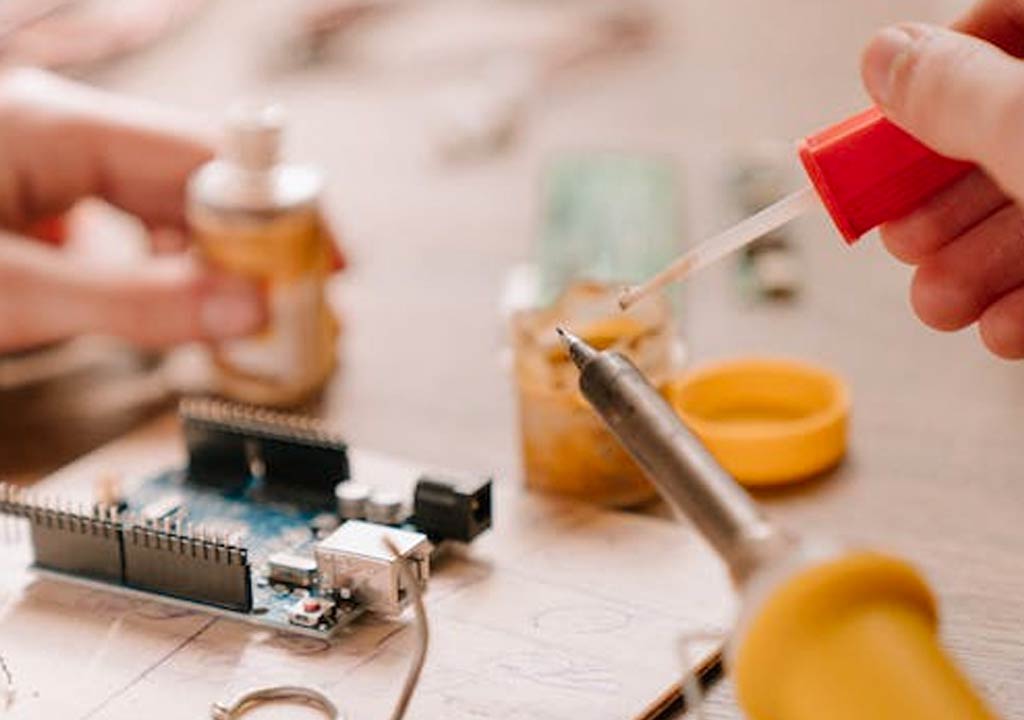


Soldering Iron Maintenance: Cleaning Tips for Longer Tip Life

Soldering Iron Maintenance: Cleaning Tips for Longer Tip Life
Soldering is a hands-on craft that blends precision with a little bit of chemistry. At the heart of every reliable soldering setup is a tip that conducts heat efficiently, applies solder cleanly, and lasts through countless projects. But tips don't stay pristine on their own. Exposure to heat, flux, and oxidation can degrade performance and shorten tip life. With a simple, consistent cleaning routine, you can keep your soldering iron tip in top shape, improve solder joints, and extend the life of your expensive tool. This guide lays out practical, safe cleaning tips and maintenance habits designed to maximize tip life without slowing you down.
Whether you're a hobbyist building electronics, a hobbyist tinkering with vintage gear, or a professional technician, keeping the tip clean is one of the fastest ways to improve results. Below, you'll find a structured approach-from daily habits to seasonal maintenance-that helps you avoid common pitfalls and make your investment last longer. Let's dive in and lay out a clear, actionable plan you can follow in your workshop.
Why tip life matters
The soldering tip is the only surface that touches the joint and the solder. If the tip becomes oxidized, pitted, or worn thin, heat transfer suffers, and you'll need more time to reflow solder or re-tin the tip. Oxidation acts like an insulator, starving the tip of heat and making it harder to form clean, shiny joints. Overheating a dull, oxidized tip accelerates erosion of the protective plating, which can lead to even more rapid degradation and shorter life. By maintaining a clean, well-tinned tip, you preserve heat transfer efficiency, improve joint quality, reduce the chance of cold solder joints, and extend the life of the tip and the iron itself.
In short: clean tips solder faster, produce better joints, and last longer. The savings in time and money over the life of your tool are well worth the small daily effort.
Understanding your soldering tip
Soldering tips come in different shapes and coatings, but a few basics apply across most types:
- Tip material and plating: Most hobbyist tips have a copper core plated with iron. The iron plating resists dissolution by solder and oxidation but can wear away over time. When the plating wears through, the copper underneath oxidizes quickly and the tip performance deteriorates.
- Tip shape: Conical, chisel, and bevel tips each present different heat transfer characteristics. A clean, properly-tinned tip is essential regardless of shape.
- Coatings and oxidation: Oxidation appears as a dull, dark layer on the tip. It impedes heat transfer and makes tinning more difficult. Regular cleaning fights oxidation and preserves plating.
Different tips may benefit from slightly different cleaning approaches. For example, new, clean tips may need gentler cleaning and careful tinning to form a stable soldering layer, while heavily oxidized tips may require stronger reconditioning (tip tinner or specialist cleaners) followed by thorough re-tinning. The goal is to maintain a bright, metallic surface with a thin layer of solder along the tip-the "tinned" state that ensures immediate heat transfer when you touch the joint.
Daily cleaning routine: fast, effective, and safe
Establishing a consistent, quick daily routine is the best way to protect your tips. The routine below is designed to be fast enough to perform between parts of a project but thorough enough to keep oxidation under control.
- Pre-tinse with the sponge or brass helper: Before you start soldering, wipe the tip on a damp sponge or a brass cleaning pad. The goal is to remove any oxide or dust and to re-tin the tip if needed. If using a damp sponge, ensure the iron is hot enough to evaporate moisture quickly and avoid splashing water into the hot tip.
- Apply a small amount of fresh solder: When you first touch the joint, lightly coat the tip with fresh solder to maintain a protective tin layer. This helps prevent oxidation during heating and keeps the tip ready to transfer heat efficiently.
- Use the sponge or brass pad during soldering: Periodically wipe the tip to remove residue. For stubborn residues, tip-tickling with a little new solder and wiping can help without excessive cleaning force.
- After finishing a session: Wipe the tip clean and tin it lightly with fresh solder, then set the iron to a safe stand-by temperature. If you store the iron hot for later, ensure it's in a stand that prevents contact with flammable materials and that the tip remains tinned to protect the plating.
Key point: avoid aggressive scrubbing or scraping with hard materials while the tip is hot. This can scratch and damage the iron plating, opening the door to rapid oxidation and tip failure.
Cleaning methods and tools that protect tip life
Choosing the right tools for cleaning makes a big difference. Here are the most common and effective options, along with guidance on when and how to use them.
Wet sponge (or water dampened briskly)
A damp sponge is a classic, inexpensive solution. It's simple and effective for removing oxidized solder while the tip is hot. The key is to dampen sparingly and to wipe quickly to avoid thermal shock or splashing water onto hot parts. After wiping, return to the soldering action promptly to keep the tip coated with fresh solder.
Brass sponge or brass pads
Brass tools are excellent for removing oxide without removing the protective iron plating. Brass sponges are less abrasive than steel wool and won't shed fibers into the joint. They work well for quick cleanups and for maintaining a tinned surface between steps. The brass pad is especially useful when you want to avoid water around hot equipment.
Tip tinner or cleaner
Tip tinner is a specialized fluid designed to salvage heavily oxidized tips. It often contains a mix of flux and metal salts that help dissolve oxides and allow you to rebuild a clean, tinned surface. Use tip tinner sparingly and follow the manufacturer's directions. After using a tip tinner, thoroughly re-tin the tip with solder to protect the plating and restore heat transfer efficiency.
Note: Some professionals reserve tip tinner for severely oxidized tips. Regular maintenance with sponges or brass cleaners plus proper tinning can prevent the need for tip tinner in many cases.
Isopropyl alcohol (IPA) for flux residues
Isopropyl alcohol is effective for removing rosin flux residues after soldering. Use 70%-90% IPA on a soft lint-free cloth or a microfiber cloth. Apply gently and allow the alcohol to evaporate fully before resuming work. Avoid using excessive liquids that can pool around the tip and creep into joints or the iron's inner components.
Cleaning flow and routine
Consistency matters more than any single tool. A light, frequent cleaning routine generally produces better tip life than occasional heavy cleans. If you find you are grinding away plating with a dirty old sponge, switch to a cleaner brass pad and lighten the touch. And always ensure the sponge or pad is clean before use-transferring oxide back to the tip defeats the purpose of cleaning.
Tips for maintaining soldering tip integrity
In addition to the tools you use, several practices help preserve tip life and maintain consistent performance.
- Tin the tip after cleaning: Always finish cleaning with a light coat of solder on the tip. This thin tin layer prevents oxidation and sustains heat transfer efficiency when you begin a new joint.
- Set the right temperature: Use the lowest effective temperature for the task. Higher temperatures accelerate tip wear and oxidation. For most leaded solder tasks, temperatures around 325-350°C are sufficient; for lead-free alloys, you may need 350-400°C. Always consult your solder manufacturer recommendations and adjust by joint type and flux.
- Avoid dry joints between cleaning steps: When you wipe the tip, ensure there's solder on the surface. Wiping a dry tip can accelerate oxidation because it removes the protective tin film more aggressively.
- Keep the tip in good condition: If the tip begins to show dull patches, pitting, or heavy oxidation that resists tinning, it may be nearing the end of its life. Re-tin and clean once or twice more, but plan to replace worn tips eventually. A worn tip cannot be reliably re-plated and will degrade heating performance.
- Avoid metal filings and debris: Never use a steel brush or abrasive steel fiber pads on the tip. Small steel particles can embed in the tip and contaminate future joints. They may also cause short circuits or poor heat transfer.
- Store properly: When not in use, store the iron with the tip tinned and the iron in a stand. If you need to store for longer periods, clean and re-tin, then power down the unit and unplug it. Storing a bare, oxidized tip is a quick path to corrosion.
Cleaning tips by tip state
Tips wear differently depending on how they've been used. Here's how to approach common situations:
New or lightly used tips
New tips are usually bright and easy to tin. Wipe gently on a damp sponge to remove any residues from manufacturing, then apply a light coat of solder to tin the surface. Maintain a steady, moderate heat to prevent scorching the coating and to encourage a robust tinned surface that will survive future cleanings.
Moderately oxidized tips
When oxidation appears on the tip, begin with a brass sponge or pad to remove the oxide with minimal wear to the plating. Follow with a light application of fresh solder to re-tin. If the oxidation doesn't come off cleanly, consider a brief dip in tip tinner according to the product instructions, then re-tin.
Heavily oxidized or worn tips
If the tip is heavily oxidized or the plating shows signs of wear (pits, obvious copper exposure, or flattened edges), proceed with caution. Try a tip tinner as directed, then re-tin. If you still see persistent issues after re-tinning, replacement tips are often more economical and lead to significantly better results than fighting with a degraded tip.
Flux-induced grime and residue
Flux the joint liberally can cause sticky residues if not cleaned. After soldering, use IPA to wipe away flux residues. If residues persist, a second clean with IPA or another rosin flux cleaner can ensure joints maintain good electrical and thermal contact.
Seasonal and long-term maintenance
Seasonal checks help catch issues before they derail your projects. A few longer-term maintenance habits keep your tool performing at its best:
- Inspect tips regularly: Look for flattening, unusual wear patterns, or discoloration that suggests plating damage. Replace worn tips promptly to preserve heat transfer and reduce the risk of damaging boards or components.
- Clean the iron body and stand: Over time, flux and dust accumulate around the heater element and stand. Wipe the exterior with a slightly damp microfiber cloth. Ensure no liquids seep into electrical parts.
- Check the tip-to-iron connection: If you notice inconsistent heating or the tip not heating evenly, inspect the tip ferrule and the connection to the heater. A loose connection can cause poor heat transfer and accelerated wear.
- Replace worn ferrules and tips as a system: When you replace a tip, consider whether the iron itself could benefit from a clean or upgrade (e.g., upgraded temperature control, better power supply). A new tip can sometimes behave very differently on an older unit.
- Prevent corrosion in storage: Ensure the tip is dry and lightly tinned before storage. Use silica gel or a moisture-absorbing environment if you keep tips in a tightly sealed case.
Flux, cleaners, and safe chemistry
Flux and cleaning agents are essential but can be tricky. Here are guidelines to keep chemistry beneficial rather than harmful to your tips and boards:
- Rosin flux is forgiving but not invincible: Rosin-based flux is common and generally safe for most board types. If you use water-soluble flux, ensure thorough cleaning after soldering, as residues can be corrosive when left on copper traces.
- Isopropyl alcohol is your friend: IPA is excellent for removing rosin residues. Use it in moderation and ensure it evaporates completely before continuing. Avoid introducing water into the heating zone.
- Avoid harsh chemical dips: Bleach, ammonia, or strong acids can damage iron plating and degrade tip life. Stick to manufacturer-approved cleaners and solvents in small amounts as needed.
Common mistakes that shorten tip life (and how to avoid them)
Even experienced solderers fall into a few bad habits. Here are frequent pitfalls and quick fixes to keep your tips in top shape:
- Wiping a dry tip: This strips away the protective tin and accelerates oxidation. Always ensure there's a light tin on the surface when wiping or cleaning.
- Using aggressive abrasives: Abrasive scrubbers or steel wool on a hot tip can remove protective plating and quicky degrade the tip. Use non-abrasive brass or silicone-free wipes designed for electronics.
- Overheating the tip: High temperatures can quickly erode tip plating. Adjust temperatures to the minimum workable level for each task, especially when you work with heat-sensitive components or lead-free solders that require more heat.
- Inadequate cleaning between joints: Citrates, oils, and residues can accumulate and corrode. Wipe periodically and re-tin to keep the tip pristine.
- Storing a dirty tip: Don't leave residues on the tip for extended periods. Clean and tin before storage to protect the tip from oxidation.
Choosing replacement tips and upgrading your setup
Tips wear out. When your tip life is no longer satisfactory, consider the following options to optimize your setup:
- Tip type and geometry: If you frequently work on dense components or surface-mount soldering, a chisel or bevel tip might offer more stable heat distribution and easier cleaning than a fine point. If you do precision work, a conical tip still has a place, but ensure you choose a tip with good plating and a high-quality iron surface.
- Quality of plating and core: Higher-quality tips with robust iron plating tend to last longer and resist oxidation. It can be worth investing in reputable brands or compatible high-grade tips rather than cheap substitutes with poor plating.
- Liner and heater compatibility: Some tips are designed for specific irons or heating elements. Ensure compatibility to maximize heat transfer and tip life.
Build a simple maintenance checklist you can print and follow
To make maintenance second nature, create a small checklist that fits your workflow. Here's a practical starter:
- Before starting work: Inspect tip condition, wipe with damp sponge or brass pad, apply light tin if needed.
- During work: Wipe as needed with a damp sponge or brass pad; avoid scrubbing the tip dry.
- After each session: Clean thoroughly, tin the tip, and place the iron in a stand safely.
- Weekly (for heavy use): Inspect tip wear and plating; replace tips that show significant wear or oxidation that cannot be tinned effectively.
- Monthly: Clean the iron body and stand; check for loose connections; replace tip if necessary.
Customize this list to fit your frequency of use, the types of projects you handle, and your workspace conditions. A small, consistent routine beats a big, intermittent one every time.
Safety first: handling hot tools and cleaning chemicals
Maintenance involves heat and chemicals. Always prioritize safety to prevent injuries and equipment damage.
- Unplug and cool before deep maintenance: For any task that involves disassembly or thorough cleaning of the iron body or tip socket, ensure the unit is unplugged and completely cool. Sensorized irons may have a cooling mode; use it as intended by the manufacturer.
- Ventilation and flux fumes: Soldering flux releases fumes. Use adequate ventilation or a fume extractor when soldering and cleaning to avoid inhaling fumes from degraded flux residues.
- Keep liquids away from hot components: Water or liquids near hot tips can cause splattering and burns or cause damage to the iron's electronics. Use water cautiously and only on appropriate cleaning tools, not directly on the iron.
- Personal protective equipment: Wear eye protection and avoid touching hot surfaces directly. If you handle tip tinners or other cleaners, follow the chemical safety guidelines on the label, including ventilation and skin protection if recommended.
Putting it all together: a practical week-by-week plan
Here is a practical cadence you can adopt to keep tip life maximized without interrupting your workflow:
- Daily: Quick wipe with damp sponge or brass pad, re-tin, and check the temperature setting. Use a minimal amount of flux and maintain a light tin on the tip at all times.
- Weekly: Inspect tips for wear, replace as needed, clean the iron body in a safe, unplugged state, and ensure your cleaning tools are free of oxide buildup.
- Monthly: Do a more thorough inspection of tip coatings, check the stand and soldering station for cleanliness, and evaluate whether your tip selection aligns with the types of work you perform. Consider trying a different tip geometry if you're tackling a new type of project.
If you keep your routine simple, you'll avoid most tip problems before they become a headache. The investment in a small amount of time pays off in steady performance and fewer replacements.
Closing thoughts: tips as a part of your workflow, not an afterthought
A high-quality soldering tip is not just a consumable; it's a critical tool that affects your results. Treat your tip with care, invest a few minutes in routine maintenance, and you'll notice smoother solder flow, faster joints, and longer tip life. Cleanliness is not a luxury in soldering; it's a necessity for reliability, safety, and efficiency. The combination of proper cleaning methods, appropriate temperatures, and mindful storage forms the backbone of a long-lasting, efficient soldering setup.
Whether you're repairing a vintage radio, assembling a modern microcontroller project, or prototyping a DIY gadget, a clean, well-tinned tip makes all the difference. It minimizes the chances of cold joints, improves heat transfer, and reduces overall repair time. By following the steps outlined above, you'll keep your soldering iron tip in peak condition for as long as possible and maintain a steady workflow across projects.
FAQ: quick answers to common questions
Here are quick answers to some questions readers frequently have about soldering tip maintenance:
- Q: How often should I replace my soldering tip? A: It depends on usage and quality, but look for worn plating, heavy oxidation, or pitting. If the tip cannot be fully re-tinned and heats inconsistently, it's time to replace it. For heavy daily use, you may replace every 6-12 months; for occasional hobbyists, every 1-2 years is reasonable if well cared for.
- Q: Can I use sandpaper to clean a tip? A: No. Sanding or grinding a tip can remove protective plating and introduce irregularities that cause rapid oxidation. Use non-abrasive cleaning methods like a brass sponge or damp sponge first.
- Q: What temperature should I set my iron to? A: Start with the lowest effective temperature for your solder and components. Higher temperatures increase tip wear. Advisable ranges depend on solder type; for leaded solder, 325-350°C is common; for lead-free, 350-400°C may be needed.
- Q: Should I always tin the tip after cleaning? A: Yes. A light coat of solder after cleaning protects the tip and ensures immediate heat transfer next time you touch a joint.
By treating soldering tips as a key part of your workflow, you'll experience better results and fewer interruptions. The routine described here is designed to be practical and adaptable, so feel free to adjust to your exact tools, flux, and solder alloys. A small time investment now yields significant returns in performance, reliability, and tip life.
Final note: experiment and learn
Different brands of tips, flux formulations, and irons can behave a little differently. If you're new to soldering or introducing a new tip type into your toolkit, take a short test run to observe how a tip responds to cleaning methods and temperature settings. Document what works best for your particular setup and keep it in your maintenance notebook. With a thoughtful approach, your soldering tip will stay in good condition for longer, and your projects will benefit from consistently high-quality joints.
Happy soldering!
LIKED THIS ARTICLE? SHARE IT: