











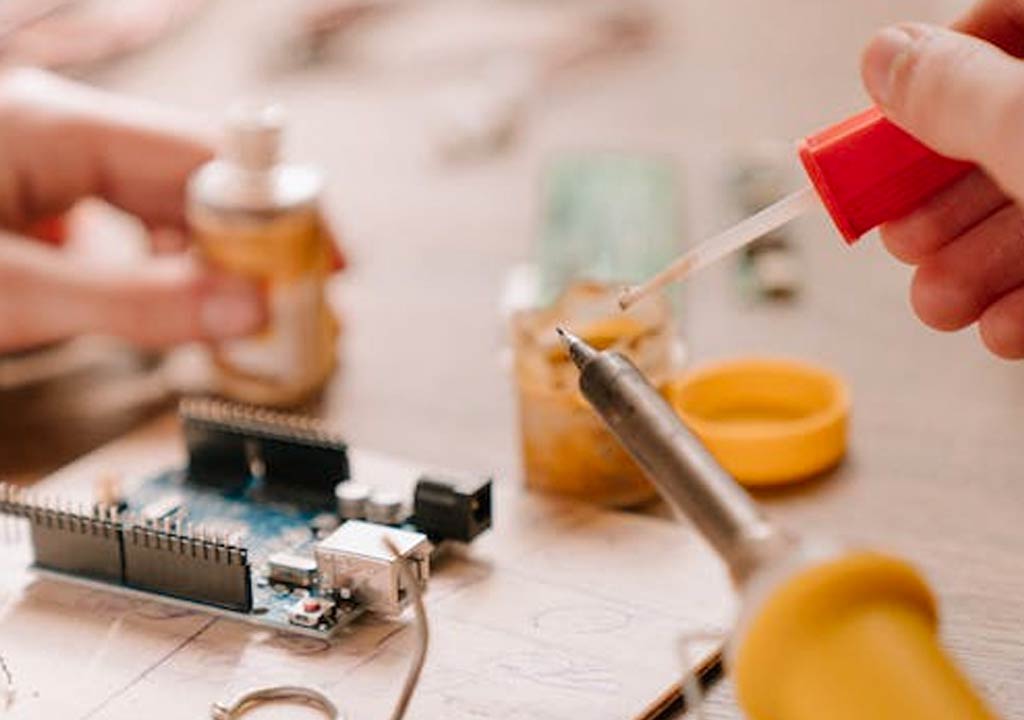
Cleaning, Tinning, and Maintenance for Peak Soldering Iron Performance

Cleaning, Tinning, and Maintenance for Peak Soldering Iron Performance
Whether you're a hobbyist building electronics, a repair technician, or a seasoned engineer, a clean, well-maintained soldering iron is the unsung hero of reliable, repeatable solder joints. The moment a tip starts to oxidize, flux residues accumulate, or the heating element drifts, your joints suffer in strength, appearance, and reliability. The good news is that with a disciplined routine-cleaning, tinning, and proactive maintenance-you can extend the life of your iron, improve thermal response, and reduce waste and rework. This guide walks you through practical, field-tested steps to keep your soldering iron performing at peak levels, without getting lost in jargon or unnecessary products.
Why cleaning and maintenance matter for soldering irons
There are three core reasons why cleaning, tinning, and maintenance are essential for soldering irons:
- Oxidation and contamination degrade heat transfer. A tip covered in oxide or flux residues conducts heat less effectively, leading to cold joints and wasted energy.
- Tip life depends on proper coating. Freshly tinned tips resist oxidation longer; neglecting tinning accelerates tip wear and pitting.
- Consistency and repeatability. Regular cleaning removes residues that can cause bridges or poor wetting, so you get predictable joint quality across a long shift or project.
By investing a few minutes at the start and end of each soldering session, you maintain tip efficiency and reduce long-term costs. The investment pays off in fewer failed joints, less debris in the flux, and easier work with small components where precision matters most.
Choosing the right tools and consumables
Before you begin, assemble a basic cleaning and maintenance kit. The right tools are inexpensive, ubiquitous, and protect your tip and heater from unnecessary wear. You don't need a professional lab setup-just a few reliable items:
- Wet sponge or brass sponge for tip cleaning
- Tip tinner or rosin-based flux (for tinning) and a small bottle of flux suitable for electronics
- Isopropyl alcohol (preferably 90% or higher) for flux residue cleanup
- High-quality solder suitable for your tip (sn60Pb40 or lead-free variants, depending on your project and local regulations)
- Compatible cleaning pads or brass shavings (non-scratch) designed for iron tips
- Tip holders or stands, ideally with a dampening sponge and a dry, safe resting place
- Personal protective equipment: safety glasses and a mask if you're working with flux fumes or during cleanup in poorly ventilated spaces
Note: Use only the cleaning materials recommended by your soldering iron's manufacturer. Some tips have plated surfaces that can be damaged by aggressive abrasives or solvents. When in doubt, test a small area or consult the product's manual.
Daily cleaning routine: quick, effective, repeatable
A daily routine keeps your tip in a healthy state between more intensive maintenance sessions. Consider this compact routine a non-negotiable baseline for any project:
- Power down, unplug, and allow the iron to cool only briefly before you begin clean-up. If you must preserve heating for a moment, use a safe stand that's away from flammables.
- Wipe the tip on a damp sponge while the iron is hot to remove fresh solder and flux residue. Avoid scrubbing with abrasive materials; aim for a clean surface with minimal oxidation.
- Inspect the tip's appearance. If you notice darkened or rough patches, you may need a brass cleaner or a light touch with a steel wool if the manufacturer approves (generally avoid steel wool with plated tips).
- Apply a thin coat of solder (tin) to the tip after cleaning. This is the tinning step. It protects the tip from oxidation and makes future wetting easier.
- Wipe off excess solder gently to leave a pin-point shine. The goal is a uniform, thin tin layer, not a thick blob.
- Return the iron to its stand in a safe area. Ensure the stand can tolerate the hot tip and flux residues without materials reacting to heat.
Short, consistent routines like this reduce the likelihood of buildup and oxidation. They're also less time-consuming than a heavy, recurring cleaning session after every few components, and they help you catch deterioration early.
Cleaning methods: how to remove oxidation and flux safely
Oxidation forms when the tip is exposed to air after an oxide layer forms on copper, iron, and other materials used in tips. This layer interferes with heat transfer and solder wettability. Flux residues can also become stubborn and carbonized if left unchecked. The following methods focus on removing these realities without harming the tip:
1) Damp sponge method (the classic approach)
The damp sponge method is simple and gentle, recommended for most standard tips and hobbyist work. Use a clean, moist sponge-not soaking wet-to wipe the tip clean while it remains hot. The moisture will sizzle and lift away flux residues, while the heat helps re-wet the surface. Steps:
- Moisten the sponge with clean water; a sponge that's too wet can cause splatter and thermal shock.
- Gently wipe the tip on the damp sponge as you touch or hover near the surface. The goal is to remove oxide and flux with minimal force.
- Observe the tip's color and shine. If the tip begins to corrode or turn grayish, move to a gentler cleaning method or re-tin.
Limitations: the damp sponge can only remove so much oxide before you need a more abrasive approach. It's the first line of defense, not the final solution for heavy oxide buildup.
2) Brass wool or brass sponge (non-abrasive, effective for light to moderate buildup)
Brass sponges provide a touch more abrasion than a damp sponge without risking the plated coating on most tips. They are best used after the initial wipe with a damp sponge to remove stubborn residues. Steps:
- Gently rub the tip along the brass sponge to lift oxidation and solder residues. Do not press hard as heavy pressure can wear away tip plating or damage the tip geometry.
- Re-tin the tip after brushing, using a small amount of solder to restore a protective layer.
Note: Avoid using brass on tips with sensitive plating or specialized coatings unless the manufacturer approves. For some low-mass precision tips, even brass brushing can cause micro-scratches over time.
3) Tip tinner and flux-based re-tinning
When oxidation is more stubborn, or you want to consolidate the tip's protective layer quickly, apply a thin layer of tip tinner or rosin-based flux and re-tin. This step is crucial when you notice the tip losing its shine or not wetting properly. Steps:
- Heat the tip to its normal operating temperature.
- Lightly touch the tip to a small amount of solder or tip tinner. Let it spread across the tip surface. The aim is a uniform, thin film rather than a heavy blob.
- Wipe away excess with the damp sponge or clean cloth, then reapply a thin tin layer if necessary.
Tip tinner is especially helpful when you're working with lead-free solder, which tends to form a more resistant oxide layer. Use only a thin coat; too much tinner can create impurities or lead to "tinning burn" if left on the tip for extended periods.
4) Alcohol cleanup for flux residues (after cooling or during troubleshooting)
Isopropyl alcohol is effective for removing rosin-based flux residues and other non-corrosive contaminants. Use it with care; apply after the iron and workspace have cooled to avoid sudden heat or fumes. Steps:
- Dip a lint-free swab in isopropyl alcohol (70-90%).
- Gently wipe the tip surface to dissolve and lift flux residues.
- Allow the tip to dry briefly before re-tinning.
Important: Do not soak the soldering tip in alcohol. The solvent can wick into the heating element or insulation, and it can also undermine the protective coatings on some tips.
Tinning the tip: why, when, and how to do it correctly
Tinning is the process of applying a thin layer of solder to the tip to protect it from oxidation and to improve heat transfer. It's the single most important maintenance step for a long, healthy tip life. Here's how to do it properly, with a focus on reliability and repeatability:
- Heat the iron to its normal operating temperature. If you have a temperature-controlled station, set it to your typical working range. Avoid overheating the tip, which can accelerate oxidation and tip wear.
- Clean the tip thoroughly using one of the cleaning methods above. The goal is to have a bare, responsive tip surface that's free of heavy oxide and flux residues.
- Apply a very small amount of solder to the tip by touching it to a blob of solder on the workpiece or to spare solder on the iron's tip source. You want a delicate, even film across the tip's working surface.
- Remove the iron from the solder carefully, and wipe away excess solder using the damp sponge or brass pad. Leave a light coat of solder on the tip.
- Return to your work, ensuring the tip remains evenly coated. If you see dull gray patches, re-tin the tip promptly to prevent oxidation from taking hold.
Tips for successful tinning:
- Don't over-tin. A thick layer of solder can spatter or bridge nearby joints; you want a thin, uniform film.
- Keep your solder clean. Impurities in the solder alloy can cause poor wetting and extra oxide formation.
- Use flux judiciously. Flux helps solder wetting but too much flux residues can become corrosive or carbonized if left on the tip.
Maintenance schedule: when to do what
Establishing a structured maintenance schedule ensures that you don't neglect essential steps as workloads intensify. Below is a practical framework you can adapt to your typical workload:
Daily tasks
- Inspect the tip before starting. If you see corrosion or heavy oxidation, plan for a tip cleaning step.
- Clean after soldering with a damp sponge to remove flux residues and surface oxides.
- Tin the tip at the end of the session with a light film of solder to deter oxidation overnight or until the next use.
Weekly tasks
- Give the tip a more thorough cleaning using a brass sponge if oxidation is visible or there's heavy residue.
- Check the tip for wear. If the tip has become rounded, concave, or pitted beyond repair, plan for a replacement tip.
- Inspect the cleaning pads and sponge for cleanliness or buildup and replace if necessary to avoid recontaminating the tip.
Monthly tasks
- Review soldering parameters and ensure the station temperature aligns with the target materials. A drift in temperature can change solder wetting and tip life.
- Replace worn or corroded tips. Even legitimate tips have a finite life; lagging behind will reduce performance steadily.
- Check flux residue cleanup routines. If flux is carbonizing too aggressively, consider switching to a higher-quality flux or changing ventilation for better fumes management.
Quarterly or as-needed tasks
- Calibrate or verify temperature control if your station supports it. A miscalibrated iron can be too hot or too cool, accelerating oxidation or poor wetting.
- Clean the heater tip interface and ensure the heating element is functioning properly. Look for loose connections or intermittent heating, which can indicate internal wear or a need for service.
Tip care and replacement: choosing the right tip for your work
The tip is the most critical interface between you and the joint. Different tip shapes (conical, chisel, chisel-ground, beveled, pencil) are optimized for different tasks. The right tip will maximize heat transfer and help you achieve reliable joints with the least amount of flux or cleaning needed.
- Conical tips are versatile for small components and fine-pitch work but wear faster and may require more frequent tinning.
- Chisel tips provide a broader heating surface for flat joints or larger pads; they are excellent for drag soldering or quick joints but may struggle with fine-pitch work.
- Beveled tips offer a hybrid shape, good for general-use tasks and bridging small gaps; they strike a balance between precision and heat capacity.
When to replace:
- Worn or pitted tips that cannot be effectively re-tinned or cleaned beyond a certain threshold
- Tips that no longer wet evenly, showing stubborn oxide patches
- Tips with corrosion that worsens despite cleaning efforts
- Damage to the plating or tip geometry that affects heat transfer
Pro tip: Keep a small stock of replacement tips in common shapes and sizes. It saves time when switching from delicate, high-precision work to larger, heat-intensive tasks.
Flux management: choosing the right flux and how to clean it
Flux is essential for electronics soldering as it cleans the metal surface and improves wetting. However, flux residues can degrade joints if left on the board or tip. Effective flux management includes choosing appropriate flux types and cleaning residues efficiently:
- Use no-clean flux for many hobby projects. It leaves minimal residue and is designed to be non-corrosive.
- For heavily oxidizing metals or older boards, flux with rosin or resin can be more forgiving, but you'll want to clean residues after finishing the soldering work.
- Always wipe away flux residues as part of your daily maintenance to prevent residue accumulation on the tip or board.
In situations where flux leaves stubborn residues, isopropyl alcohol cleaning after soldering and a final tinning pass can help maintain consistency and reduce the risk of corrosion on joints.
Safety and workspace considerations
Maintenance is essential, but safety matters just as much. Good practices protect you and your equipment:
- Ventilation: Work in a well-ventilated area or use fume extraction to minimize inhalation of flux fumes.
- Personal protective equipment: Wear safety glasses to guard against splashes; use heat-resistant gloves if you're handling hot tips during heavy cleaning sessions.
- Fire safety: Keep flammables away from the work area and use a proper stand that can safely hold a hot iron. Turn off and unplug when not actively soldering for long periods.
- Storage: Store tips in a dry, clean area; avoid leaving them in damp or dusty environments that can cause corrosion or aging of the tip plating.
- Disposal: Dispose of spent flux and any worn-out tips per local regulations to minimize environmental impact.
Common issues and quick fixes
Even with a good routine, you may encounter issues. Here are common problems and pragmatic fixes:
- Joint coldness or poor wetting: Re-tin the tip, check the flux, and ensure the iron is at the correct temperature for the solder alloy in use. Inspect the tip for oxidation; replace if necessary.
- Excessive spatter: Check your solder feed rate, tip temperature, and flux usage. Ensure the joint is clean and appropriate for the pad size; a dull or heavily oxidized tip can cause spattering as it struggles to wet surfaces properly.
- Intermittent heating: This may indicate a loose connector or heating element issue. If the station or tip doesn't heat consistently, consider service or replacement of the unit.
- Tip corrosion after cleaning: If the tip shows rapid degradation after cleaning, switch to a milder cleaning approach (like damp sponge first, then brass brush) and ensure you aren't over-cleaning a delicate plated surface.
- Flux residues on boards: Wipe with isopropyl alcohol after soldering and clean with a clean cloth; for stubborn residues, use a flux remover designed for electronics.
Tips for a long-lasting soldering process
In addition to cleaning and tinning, a few best practices can dramatically improve tool life and joint quality:
- Pre-tin the tip at the start and end of sessions to maintain oxide resistance and wetting ability.
- Use the smallest viable amount of heat for the job. High temperatures shorten tip life and can damage sensitive components or boards.
- Prefer rosin or resin-based fluxes that are designed for electronics and minimize corrosive residues. Always clean residues after a job if you used a strong flux.
- Invest in a high-quality stand. A stable base reduces risk of dropping the hot iron and helps keep your tip safe during downtime.
- Keep a clean workspace with clearly labeled containers for flux, tip cleaners, and sponges. Reducing cross-contamination increases tip life and reduces scrap.
Real-world workflow: an example routine for a typical PCB project
To illustrate how all these concepts fit into a real-world workflow, consider a typical PCB assembly session that involves SMD rework, small through-hole components, and a mix of lead-free solder. Here's how a practical workflow might look:
- Before starting: power on the iron and pre-tin the tip. Check that flux containers are accessible, and ensure the workspace is well-ventilated.
- During soldering: clean the tip every 5-10 minutes with the damp sponge; re-tin as needed to maintain a consistent surface. Use flux to assist wetting when working with small pads or fine-pitch components.
- After finishing a task: clean the tip thoroughly and perform a final tinning. Inspect critical joints and reflow if necessary using a controlled approach.
- End of day: perform a more thorough cleaning on the tip (potentially with brass wool) and re-tin. Store the iron in its stand, away from moisture and dust, and confirm that it is unplugged if not in use for a prolonged period.
What to do if you must work with older or industrial setups
In industrial settings or when working with older equipment, you might face different challenges. For example, older irons may use different tip materials or non-leaded solders with more aggressive fluxes. In such cases:
- Follow manufacturer guidelines for tip care and replacement-older tips can be more fragile or require specific cleaning agents that minimize wear.
- Consider upgrading to a temperature-controlled station if yours is older. This enables precise control and reduces tip damage due to overheating.
- Use no-clean flux when possible to minimize cleaning steps, but always verify that residues are non-corrosive and don't affect the board long term.
Final thoughts: building a culture of maintenance
Consistency is the key. A one-time deep cleaning won't compensate for days of neglect, and a gleaming, new tip will degrade quickly without ongoing, disciplined care. The best results come from integrating cleaning, tinning, and maintenance into your daily routine, choosing the right tools for your work, and maintaining a clean, organized workspace with proper safety measures.
In practice, that means:
- Making tinning a habit at the end of each session
- Keeping the tip clean with a damp sponge and a brass cleaner when appropriate
- Having a plan for tip replacement before performance declines
- Using the correct flux and cleaning methods for the task
- Storing the iron safely and in a ready-to-use state for the next session
With the steps outlined above, you'll maximize heat transfer efficiency, reduce the number of cold joints, and extend the life of your equipment. The payoff isn't just better joints-it's less downtime, lower material waste, and more confidence in your work. A small daily investment in cleaning, tinning, and maintenance yields long-term dividends in reliability and quality.
Appendix: quick reference checklist
Use this concise checklist before, during, and after soldering sessions to ensure you don't miss the essentials:
- Pre-solder check: station at proper temperature, clean tip, solder and flux ready
- During soldering: wipe tip on damp sponge every 5-10 minutes; re-tin as needed
- Post-solder: clean thoroughly; tin the tip lightly; return to stand
- End-of-day: deeper cleaning if oxidation is visible; replace worn tips if necessary
- Storage: unplug if not in use, store tips in a dry environment, and protect from moisture
If you follow these guidelines and tailor them to your specific tools and materials, you'll enjoy consistently high-quality joints, improved tip life, and a smoother, more enjoyable workflow. Cleaning, tinning, and maintenance are not ancillary tasks; they are essential practices that empower your soldering performance and professional results.
LIKED THIS ARTICLE? SHARE IT: