









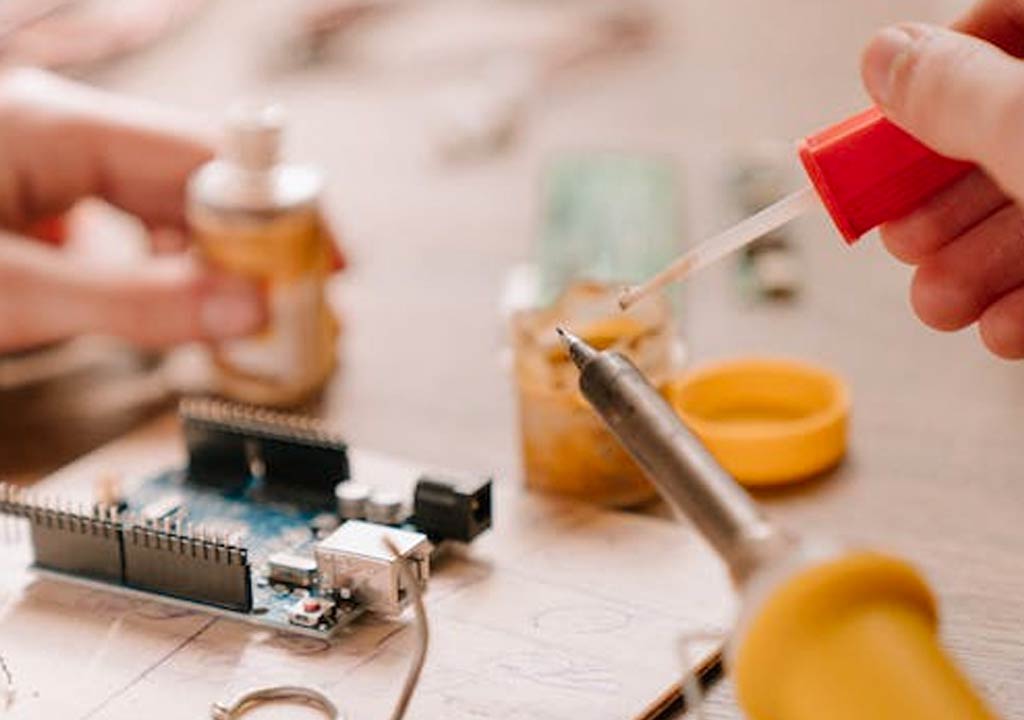


Prolonging Longevity: Essential Care and Maintenance for Soldering Irons

Prolonging Longevity: Essential Care and Maintenance for Soldering Irons
Soldering irons are the workhorses of electronics assembly, hobby projects, and repair work. A well-maintained iron can last for years, delivering consistent heat, precise control, and reliable performance. Conversely, neglecting even small maintenance steps can shorten tip life, degrade solder joints, and create frustrating downtime. In this article, we'll explore practical, proven practices to extend the life of your soldering iron, from daily habits to long-term care strategies. Whether you're a hobbyist or a professional, the tips below will help you solder smarter, cleaner, and longer.
Understanding Your Soldering Iron: What Makes It Tick
Before diving into maintenance routines, it helps to understand the main components and why care matters. A typical soldering iron system includes:
- A heater element and tip that transfer heat to the workpiece.
- A temperature-control mechanism (in fixed irons, a simple on/off switch; in temperature-controlled stations, a thermocouple and control circuit).
- A tip-usually copper core with iron plating to resist dissolution by molten solder.
- A stand, sponge or brass cleaner, and flux/rosin residues that may accumulate on the tip or work area.
Tip life is the primary driver of longevity for most irons. The tip is the interface between your iron and the solder joint, and it endures repeated heating cycles, oxidation, and exposure to flux residues. If you can keep the tip clean, properly tinned, and within an appropriate temperature range, the rest of the iron tends to stay in good shape for longer too.
Daily Care: Small Habits That Add Up
Consistency is the ally of longevity. Establish a simple daily routine that minimizes oxidation, corrosion, and tip wear.
- Start with a clean, tinned tip: Before you begin, wipe or brush the tip on a damp sponge or brass wool to remove oxidized solder, then re-tin with a thin layer of fresh solder. This creates a protective metallic surface that resists rapid oxidation.
- Keep your workspace ventilated and clear: Soldering generates fumes and heat. A well-ventilated area minimizes chemical exposure and keeps the environment safer for longer sessions.
- Use the stand properly: Always place the hot iron in its stand when not actively soldering. A stable stand reduces accidental tip contact with flammable materials and prevents accidental burns or damage to the iron.
- Avoid leaving the tip dry: Don't leave the iron sitting with a dry, oxidized tip. Even a short period of oxidation hardens the tip surface and makes future tinning more difficult.
- Tin the tip after each use: Wipe the tip, apply a thin layer of solder, and re-tin before storage. This protective coating slows oxidation during idle periods.
In addition to these steps, keep your iron unplugged if you're going to be away for an extended time and avoid coiling cords tightly around the handle. A loose, well-organized power cord reduces wear on the iron's electrical connections and the station's output.
Tip Maintenance: The Heart of Your Soldering Iron
The tip is the most critical consumable part, and its care determines both the quality of your joints and the lifespan of your iron. Here are best practices for keeping tips in peak condition.
- Choose the right tip geometry for the job: Flat, bevel, chisel, or conical tips each have trade-offs. For small SMD work, fine conical tips are often preferred; for leaded through-hole work, a broader bevel or chisel tip can deliver heat more evenly. Using the correct tip geometry reduces the need for aggressive heating and prolongs tip life.
- Tinning and re-tinning: After cleaning, lightly tin the tip with solder to form a protective oxide-free layer. If the tip dulls or looks dark, re-tin promptly to restore the protective surface.
- Avoid dipping tips in flux or corrosive liquids: Most rosin fluxes are benign after cleaning, but water-soluble or highly corrosive fluxes can attack the iron plating if left on the tip. Wipe clean after re-tinning.
- Prevent tip dissolution by maintaining proper temperature: Excessive heat accelerates iron dissolution into copper cores and shortens tip life. If your station runs hot, reduce the temperature to the lowest setting that allows you to solder cleanly.
- Periodically retip when necessary: Iron-plated tips wear away with use. When the plating is sufficiently thinned or pitting appears, replace the tip to prevent copper oxidation from contaminating joints. }
- Wet sponge vs. brass wool: A damp sponge is excellent for quick cleaning and removal of bulk oxidation, as long as you don't vigorously scrub the tip. Brass wool is gentler on the tip's plating and can be used to remove stubborn oxidation when the tip is cool enough to handle. Avoid steel wool, which can gouge the tip's surface.
- Tip tinners and reconditioning fluids: Commercial tip tinners help refresh oxidized tips by reintroducing a layer of metal. Use sparingly and never dip the entire tip in acid-based cleaners; avoid chemical overrides that can damage plating. Always follow the manufacturer's instructions for any tip conditioner.
- Self-cleaning tips and surfacers: Some tips feature protective coatings or surface treatments designed to resist oxidation. If your tips have such coatings, follow the manufacturer's care guidelines to preserve the coating.
- Rinsing blocks and flux residue: If you use flux with aggressive residues, consider a separate flux remover to clean the tip and surrounding areas. This keeps solder joints clean and reduces corrosion risk.
- Know your solder types and appropriate temperatures: Leaded solder typically melts around 183°C, but you often need higher temperatures for solid joint formation. Lead-free solders generally require higher temperatures (often 350-370°C, depending on alloy and flux). Start with manufacturer recommendations and adjust cautiously.
- Avoid "thermo-shock": Rapidly heating and cooling cycles can cause tip fatigue and micro-cracks. Let the tip heat up gradually and avoid cooling it by rubbing on the sponge; instead wipe on the damp sponge or brass cleaner at a steady pace.
- Station calibration: If your station allows calibration, ensure the readout matches the actual tip temperature. A miscalibrated station can lead to overheating or insufficient heat, both of which shorten tip life and compromise joints.
- Watch for oxidation indicators: If the tip oxidizes quickly or the solder beads do not flow smoothly, it's often a sign of oxidation or an overly aggressive cleaning routine. Re-tin and consider reducing the tip temperature slightly if you notice symptoms.
- Rosin flux is forgiving: Rosin-based flux residues are insulating when left behind but easy to clean with mild solvents or water after a good rinse. They also protect the tip longer if kept lightly tinned.
- No-clean flux: No-clean formulations are designed to leave minimal residues, but they can still affect tip cleanliness over time. If you notice buildup, a quick cleaning and re-tinning can restore performance.
- Water-soluble flux requires thorough cleaning: Water-soluble flux residues are more aggressive and can cause corrosion if not cleaned properly after soldering. If you use water-soluble flux, make sure you flush residues with water and dry the board and iron promptly.
- Solder composition matters: Leaded solder (Sn-Pb) flows differently than lead-free variants (e.g., SAC alloys). Lead-free solders typically require higher temperatures and may accelerate tip wear if not properly maintained. Consider using a suitable tip and maintaining consistent temperatures to minimize wear when working with lead-free alloys.
- Tip compatibility: Some tips are designed for leaded and/or lead-free solders; ensure your tips are appropriate for the solder you're using. Mismatched tip materials or profiles can increase oxidation and wear.
- Store with tips lightly tinned: If you're not going to use the iron for a while, keep the tip lightly tinned and stored in a dry, dust-free place. This creates a protective layer that slows oxidation.
- Use a tip cap or protective cover: If your iron or tip has a protective cap, use it when storing or transporting. Caps prevent moisture ingress and physical damage to the delicate tip.
- Keep the station and tips clean during transport: If you transport your equipment for work or a class, wrap the iron properly, avoid jostling the tip, and ensure the station is turned off and cool before packing.
- Avoid exposure to corrosive environments: High humidity, salt air, or chemical vapors can accelerate oxidation. Store in a controlled environment to preserve metal surfaces over time.
- Tips won't wet properly or form a smooth solder bead: This often indicates oxidation on the tip, insufficient tinning, or an incorrect temperature. Clean, re-tin, and adjust temperature if needed.
- Joint consistency is poor or dull: Check whether the tip is clean and heated properly, and ensure you're using appropriate flux and solder. Inspect the pad and component for heat sensitivity and avoid overheating delicate PCB traces.
- Excessive tip wear or rapid erosion: This may indicate using a tip beyond its intended range, using overly aggressive cleaning, or leaving the tip dry for long periods. Re-tin and replace the tip if needed, and recalibrate the temperature or see if the iron is running hotter than expected.
- Electrical symptoms or intermittent heating: Look for loose connections, worn cords, or damaged insulation. If the heater element or cable shows signs of wear, consider repair or replacement by a professional or the manufacturer.
- Timing for replacement: If the tip plating is noticeably thinned, or if the tip exposes copper with visible pitting or oxidation not removable by cleaning, replace the tip. A compromised tip can contaminate joints and accelerate corrosion of the iron's tip plating.
- Choosing tip geometry and size: Match tip geometry to your typical tasks. For hobby electronics, a small chisel or fine conical tip is common. For power electronics or larger joints, a broader tip may be necessary. Having a small set of interchangeable tips can save time and extend tool life.
- Consider a higher-quality plating: Iron-plated tips resist dissolution from molten solder better than plain copper tips. While more expensive, iron-plated tips often last longer in busy environments and heat-intensive work.
- Evaluate station compatibility: If you upgrade to a station with precise temperature control, it may help you optimize tip life by avoiding overheating. A microcontroller-based station with stable feedback is ideal for longevity and joint quality.
- Ventilation: Soldering fumes contain pollutants. Use a fume extractor or ensure good cross-ventilation to minimize inhalation of solder fumes.
- Personal protective equipment: Safety glasses protect your eyes from splashes of molten solder. Consider heat-resistant gloves for added protection when handling hot components.
- Electrical safety: Use a properly grounded outlet and inspect power cords for wear. Unplug the iron when not in use and avoid using extension cords that can overheat.
- Work area organization: Keep a clear workspace; flammable materials should be kept away from the soldering area. A stable stand and a clean mat reduce the risk of accidents and damage to components.
- Fire safety: Have a small, accessible fire extinguisher or a dedicated safety plan for flames or hot solder splashes.
- Daily: Wipe and tin tip; clean the work area; ensure tip sits correctly in stand; store iron safely when not in use.
- Weekly: Inspect tip for wear or pitting; replace misbehaving tips; brush or clean any oxide build-up with appropriate tools; calibrate temperature if needed.
- Monthly: Inspect the cord and plug; check the stand for stability; replace worn sponges or brass cleaners; assess tip life and plan replacements if needed.
- Every use: Use appropriate flux and solder; avoid overheating; maintain clean, dry storage conditions; document tip life for better planning and replacement timing.
- Set up your station with the iron in its stand, a damp sponge, and a small trash bin for waste flux residues.
- Power on the iron and let it reach a stable working temperature suitable for the solder you use (start low and adjust as needed).
- Before soldering, wipe the tip on the damp sponge and re-tin with a thin layer of solder. This creates a clean, protected surface.
- During work, clean the tip as needed to remove oxidation. Do not scrub aggressively; a light wipe is enough to keep the surface fresh.
- After completing a task, re-tin the tip, switch off the iron, and place it in the stand. Allow it to cool naturally in a safe area.
- Store tips properly: keep spare tips in a dry, dust-free container; label tips to match your common tasks for faster setup next time.
- Periodically inspect for wear: If you notice pitting or dull plating, replace the tip. If the heater or cord shows wear, consult the manufacturer or a professional for safe service or replacement.
- Type of soldering iron (pencil, station-based, or cordless)
- Tips you regularly use (geometry and size)
- Solder type (lead-based or lead-free)
- Flux type and cleaning fluids you prefer
- Typical workload and frequency of use
Tip care isn't only about food-grade cleanliness. It's about maintaining a stable, clean interface between the iron and the solder. A well-tended tip ensures reliable heat transfer, consistent joints, and less corrosion over the long haul.
Cleaning and Maintenance Tools: Sponges, Brass, and Brushes
Tools help you maintain a pristine tip surface without damaging it. Here's how to use them effectively:
Remember: cleaning is about removing oxide and old solder, not about abrading the metal away. Gentle, consistent cleaning preserves the tip's geometry and plating, both of which extend tip life.
Temperature Management: Keeping It Stable Without Sacrificing Longevity
Temperature control is not just about achieving perfect joints; it's also a key factor in longevity. Using an appropriate, stable temperature minimizes tip oxidation and reduces thermal stress on the tip and board.
Long-term temperature discipline reduces the need for aggressive cleaning or frequent tip replacement. It also keeps you in a better position to produce reliable joints with less waste.
Flux, Solder, and Tip Compatibility: The Right Chemistry Matters
Understanding how flux and solder interact with your tip helps you select the right materials and maintain tip health.
Careful selection of flux and solder, plus consistent cleaning and tinning, will extend tip life while maintaining reliable joint quality.
Storage, Handling, and Transportation: Protecting the Investment
Long-term storage and careful handling protect the iron from corrosion and physical damage. Consider these best practices:
Proper storage is a simple, effective way to extend the life of your tip and iron. A small investment in a clean, dry space pays dividends across hundreds of soldering sessions.
Diagnostics and Common Problems: Quick Checks for Longevity
Sometimes your iron isn't performing as it should. Here are quick diagnostics to help you diagnose common problems and take corrective action before damage becomes permanent.
Regular inspection and a routine maintenance schedule help catch issues early and extend the overall life of your soldering setup.
Replacing Tips and Upgrading: When to Step Up
Even with excellent maintenance, tips wear out. Here are guidelines for when to replace and how to select a replacement tip or upgrade:
Tip replacements and occasional upgrades can deliver a tangible return on investment, particularly in professional or demanding environments where heavy usage accelerates wear.
Safety and Best Practices: Protecting You and Your Tools
Longer tool life isn't just about the iron-it's about safe operation for you and your workspace. Follow these safety guidelines:
Adopting safe practices protects your equipment investment and keeps you productive for longer without interruptions due to accidents or safety incidents.
A Quick Maintenance Checklist
To help you maintain your soldering iron efficiently, here's a practical, concise checklist you can use daily and periodically. You can print this or keep it as a quick reference in your toolbox.
With this straightforward checklist, you'll build a sustainable maintenance habit that keeps your soldering iron performing at its best for years to come.
Putting It All Together: A Sample Maintenance Routine
Here's a practical routine you can follow if you want a step-by-step approach that blends daily habits with longer-term care:
Following this routine helps ensure consistent performance, reduces downtime, and protects both your iron and your workplace from accidents or damage.
Final Thoughts: Longevity Through Conscious Care
Your soldering iron is at its best when it's treated like the precise tool it is: carefully heated, diligently cleaned, and thoughtfully stored. By combining smart temperature management, disciplined tip maintenance, appropriate flux and solder choices, and careful storage habits, you can significantly extend the life of your iron and keep your solder joints clean and reliable for years to come.
Remember, small daily actions-wiping and tinning the tip, using a proper stand, and cleaning residues promptly-add up to big long-term gains. If you're just starting out, you'll notice the difference quickly as you adopt these practices. If you're a seasoned pro, you'll appreciate how a few tweaks to your routine can reduce downtime and cost over the life of your equipment.
Would You Like More Tips?
If you'd like, I can tailor a maintenance schedule to your specific setup. Share details such as:
With those details, we can build a customized longevity plan that fits your workflow and budget, helping you get the most out of your soldering investment.
LIKED THIS ARTICLE? SHARE IT: